TikTok Shop Seller Center Setup UK (2026): Complete Beginner-to-Expert Guide
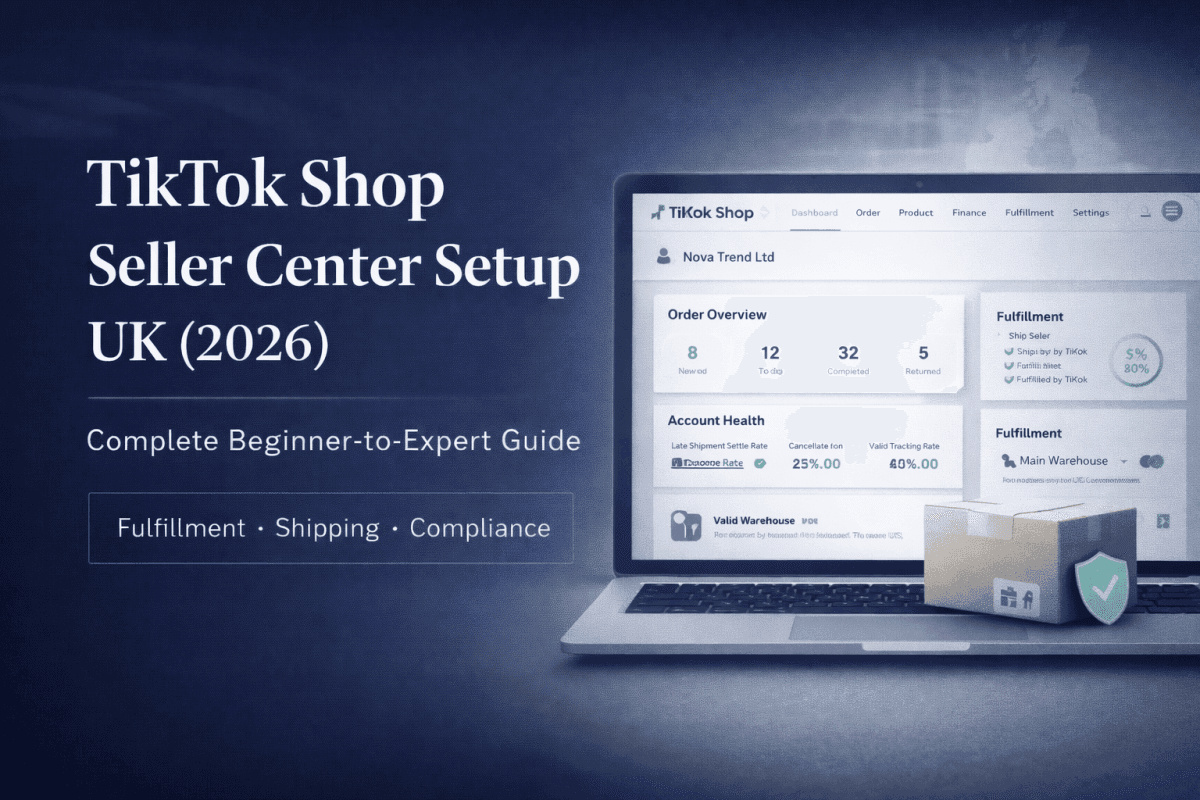
Once your TikTok Shop UK seller account is approved, the Seller Center setup becomes the most critical step in determining your long-term success on the platform. This stage is where many sellers unknowingly create problems that later lead to order delays, payout holds, low product visibility, or even account suspension. The Seller Center is not just a dashboard—it is the operational backbone of your entire TikTok Shop business. A correct setup ensures smooth order processing, compliance with TikTok policies, accurate shipping logistics, and stable account performance from day one.
This comprehensive guide explains the TikTok Shop Seller Center step by step, covering shipping models, warehouse setup, fulfillment choices, tax and return policies, and seller configurations. Everything is explained in simple, non-technical language, making it suitable even if this is your first e-commerce business or your first time selling on social commerce platforms.
What Is TikTok Shop Seller Center and Why Does It Matter?
TikTok Shop Seller Center is the central control panel where sellers manage every operational aspect of their store. Unlike traditional marketplaces like Amazon or eBay, TikTok combines content creation, creator partnerships, affiliate programs, and fulfillment into one unified ecosystem. The Seller Center is where all of these different elements are coordinated and managed.
From this powerful dashboard, you will have the ability to:
Manage your shop profile and overall business identity
Choose your fulfillment model based on your business needs
Configure shipping templates and warehouse details
Process orders and track them in real-time
Handle refunds, returns, and customer disputes
Monitor account health metrics and performance indicators
Access detailed analytics, promotions, and affiliate collaboration tools
A poorly configured Seller Center can block growth even if your products go viral on the platform. Conversely, a correctly configured one allows you to scale smoothly when sales increase unexpectedly. This is why proper setup cannot be overlooked.
Accessing TikTok Shop Seller Center for the First Time
After your seller account approval, TikTok will grant you access to Seller Center using your registered TikTok account credentials. On your first login, TikTok will guide you through a series of basic onboarding steps designed to collect critical business information.
At this crucial stage, remember these essential points:
Do not rush through the setup process
Do not skip steps, even if they seem redundant
Do not enter placeholder information or temporary details
Do not make assumptions about default settings
TikTok records every early configuration decision and uses this data to evaluate risk and trustworthiness. Sellers who approach this carefully establish better relationships with the platform's algorithm and compliance teams.
Step 1: Completing Your Seller Profile Setup
Shop Information and Branding
Your shop information forms your public identity on TikTok Shop and directly influences how customers perceive your business. This critical section includes:
Shop name (your primary business identifier)
Shop logo (visual brand representation)
Business description (detailed explanation of your offerings)
Contact and policy information
Choosing Your Shop Name:
Your shop name should:
Match or closely relate to your UK Limited Company or registered brand name
Avoid generic or misleading words that could confuse customers
Appear professional, trustworthy, and scalable for future growth
Be memorable and easy to spell for repeat customer searches
Crafting Your Business Description:
Your description should clearly explain:
What product category you specialize in
What unique value proposition you provide to customers
Who your ideal target customers are
Any certifications, specialties, or unique selling points
Avoid buzzwords, exaggerated claims, policy-sensitive language, or anything that sounds like spam. TikTok's system automatically flags suspicious descriptions and may require revision before approval.
Step 2: Choosing Your Fulfillment Model
This is arguably the most important strategic decision inside Seller Center. Your fulfillment choice determines how you store inventory, pack orders, and deliver products to customers.
TikTok Shop UK allows two main fulfillment models:
Ship by Seller (SBS) - Self-Fulfillment Model
Ship by Seller means you handle all logistics yourself. You are responsible for:
Product sourcing from suppliers or manufacturers
Storage arrangement (using your own warehouse, supplier warehouse, or third-party fulfillment)
Packing orders to customer specifications
Shipping orders through your chosen carrier
Uploading tracking information for each order
Managing returns and replacements
Ideal for:
Dropshippers using supplier fulfillment services
Sellers using private warehouses or storage units
Sellers working with dedicated third-party fulfillment centers
International sellers who cannot use UK-based FBT warehouses
Sellers testing new products before committing to inventory
Advantages of Ship by Seller:
Full control over inventory and sourcing decisions
Flexible product testing and iteration
Suitable for sellers outside the UK
Lower upfront costs for beginners
Ability to customize packaging and branding
Challenges of Ship by Seller:
Slower delivery times if not properly optimized
Higher personal responsibility for order accuracy and errors
Requires strict tracking discipline and transparency
More customer complaints if shipping delays occur
Risk of account penalties for late shipments
Fulfilled by TikTok (FBT) - TikTok-Managed Fulfillment
Fulfilled by TikTok means TikTok stores your inventory, packs orders, and ships them on your behalf. You simply send your products to TikTok's UK warehouses and let the system handle the rest.
Ideal for:
High-volume sellers with consistent demand
Brand owners with established product lines
UK-based sellers with access to inventory
Sellers prioritizing speed and customer experience
Businesses ready to scale beyond startup phase
Advantages of Fulfilled by TikTok:
Significantly faster delivery times to customers
Higher algorithm trust and product visibility boost
Professional packing and shipping experience
Reduced customer complaints related to fulfillment
Better customer experience and repeat purchase rates
Challenges of Fulfilled by TikTok:
Requires upfront inventory commitment
Storage and fulfillment fees reduce profit margins
Less flexibility if products do not perform as expected
Not suitable for all beginner sellers
Requires accurate inventory forecasting
Recommendation for Beginners:
For most new sellers, Ship by Seller is recommended initially. This allows you to test demand, understand customer preferences, and validate your business model without committing capital to inventory. Once your products prove consistent demand, you can transition to FBT for acceleration and better algorithm favor.
Step 3: Setting Up Warehouse and Shipping Details
Warehouse Information Configuration
Seller Center requires accurate warehouse details depending on your chosen fulfillment model.
For Ship by Seller Model:
Enter the supplier's warehouse address or fulfillment center location
Ensure the address is consistent and verifiable (no fake addresses)
Avoid frequently changing warehouse locations, as this triggers platform risk flags
Update warehouse information only when absolutely necessary
For Fulfilled by TikTok Model:
TikTok provides specific UK warehouse options and detailed onboarding instructions
Follow their designated process for sending inventory
Provide accurate inventory counts to prevent stockouts
Consistency is critical at this stage. Frequent changes to warehouse information trigger account risk alerts and may result in temporary service restrictions.
Shipping Templates and Timeline Configuration
TikTok requires clear, realistic shipping timelines to protect buyer expectations and maintain platform trust. You must configure:
Processing time (how long you need to prepare the order)
Shipping duration (how long delivery takes)
Delivery regions (which UK areas you can serve)
Recommended beginner shipping setup:
Processing time: 1–3 business days
Delivery time: 3–7 business days (UK domestic)
International: Only add if you can genuinely fulfill
Critical Rule: Never promise unrealistic delivery speeds just to attract customers. TikTok penalizes late shipments very heavily, and one-time late delivery mistakes can affect your account metrics for months. It is better to underpromise and overdeliver than to create false expectations.
Step 4: Return and Refund Policy Configuration
TikTok Shop UK operates under UK consumer law, which gives buyers strong statutory return rights. Seller Center requires you to acknowledge and properly configure return policies.
Key compliance points:
Buyers can request returns within defined windows (typically 14–30 days)
Sellers must respond to return requests promptly (within 24–48 hours)
Refund processing delays negatively affect your account health score
TikTok may force refunds if disputes escalate
As a beginner seller:
Accept standard TikTok return rules rather than creating custom policies
Avoid restrictive policies that limit buyer protections
Use TikTok's recommended settings as your baseline
Implement your own quality controls instead of restricting returns
Trying to limit or restrict returns early in your seller journey often leads to customer disputes, negative feedback, and platform penalties. It is far better to maintain generous return policies initially and only adjust them once you have established positive account metrics.
Step 5: Tax and Compliance Settings
TikTok requires all sellers to acknowledge tax responsibilities and comply with UK regulations. While TikTok handles VAT collection in many cases, sellers must still ensure accurate business information is registered.
Inside Seller Center you will:
Confirm your business registration details
Acknowledge UK tax responsibilities
Provide required legal declarations
Update business information if needed
Critical warning: Do not enter false information or use misleading business details. TikTok actively cross-checks seller data with payment providers and regulatory databases. Discrepancies result in account suspension.
Step 6: Payment and Settlement Review
Even though you added a bank account during the approval process, Seller Center allows you to review and adjust payment settings:
Review your payout schedule (usually weekly or bi-weekly)
Confirm settlement currency (GBP for UK sellers)
Track detailed transaction history
Monitor pending and completed payouts
Important points to understand:
Payouts are not instant; there is typically a 5–7 day delay
Funds are released only after order confirmation and return windows close
Disputes, refunds, or chargebacks can temporarily hold funds
Large orders may be held for verification
Understanding payout flow early prevents panic and cash flow issues later.
Step 7: Order Management Workflow
Seller Center organizes orders into distinct stages:
New orders (awaiting confirmation)
Processing (being prepared for shipment)
Shipped (in transit to customer)
Completed (delivered and return window closed)
Returned or refunded (customer initiated return)
As a seller, your responsibility includes:
Confirming orders quickly (within 24 hours)
Uploading valid tracking numbers with carrier information
Resolving customer issues within TikTok's specified timelines
Providing proof of shipment when disputes arise
Late responses to orders or customer inquiries directly affect your account visibility and overall trust score on the platform.
Step 8: Understanding Account Health Metrics
TikTok Shop aggressively tracks seller performance using automated systems and uses these metrics to determine visibility and algorithmic favor.
Key metrics you must monitor:
Order defect rate (returns, refunds, and disputes)
Late shipment rate (orders shipped after promised date)
Cancellation rate (orders cancelled by seller)
Customer complaint rate (negative feedback and disputes)
Response time (how quickly you answer messages)
Seller Center displays these metrics on a dedicated dashboard. Beginners should monitor these metrics weekly, not daily. Sudden spikes in any metric indicate operational problems that must be addressed immediately.
Common Seller Center Setup Mistakes to Avoid
Many sellers achieve approval but still fail within their first 90 days due to poor setup and operational decisions.
Common mistakes include:
Choosing the wrong fulfillment model for their business model
Entering incorrect or frequently changing warehouse details
Overpromising delivery times to boost sales
Ignoring or misunderstanding return policy requirements
Delaying order responses or customer communication
Uploading fake or inconsistent tracking information
Not monitoring account health metrics regularly
These mistakes do not cause instant account bans, but they slowly reduce account trust and limit long-term growth potential. The platform's algorithm learns from these behaviors and reduces visibility over time.
Best Practices for Your First 30 Days After Setup
To stabilize your account and build momentum:
Keep fulfillment processes consistent and reliable
Avoid rapid configuration changes or policy shifts
Do not list too many products at once; focus on quality over quantity
Prioritize accuracy and reliability over aggressive growth tactics
Respond to every customer message and notification promptly
Monitor account metrics weekly and address issues early
TikTok's algorithm values reliability and consistency more than aggressive growth tactics. Sellers who demonstrate stable operations earn algorithmic favor.
How Proper Seller Center Setup Impacts Your Long-Term Growth
A properly configured Seller Center directly leads to:
Faster order processing and customer satisfaction
Higher algorithmic trust and content visibility
Better approval rates for creator collaborations
Increased likelihood of viral scaling when products gain traction
Lower dispute rates and customer complaints
Better payout reliability and fund settlement
Conversely, a messy or poorly configured setup produces the opposite results, regardless of how good your actual products are.
Conclusion: Seller Center Setup Is Not Optional Work
TikTok Shop Seller Center is where your business becomes real and operational. While approval gives you access to the platform, correct configuration gives your business longevity and growth potential. Sellers who treat this step seriously and professionally outperform competitors even when selling similar products.
If you want TikTok Shop UK to become a stable, sustainable income source instead of a short-lived experiment, Seller Center setup must be done carefully, professionally, and patiently. Take your time, verify all information, and focus on building a trustworthy seller profile from day one.
Your success on TikTok Shop depends far less on luck and viral trends than it does on operational excellence and reliability. Start strong in Seller Center, and the growth will follow naturally.
Join the conversation
Sign in to share your thoughts and engage with other readers.
No comments yet
Be the first to share your thoughts!