Building a YouTube Q&A Assistant using LangChain, Gemini Embeddings
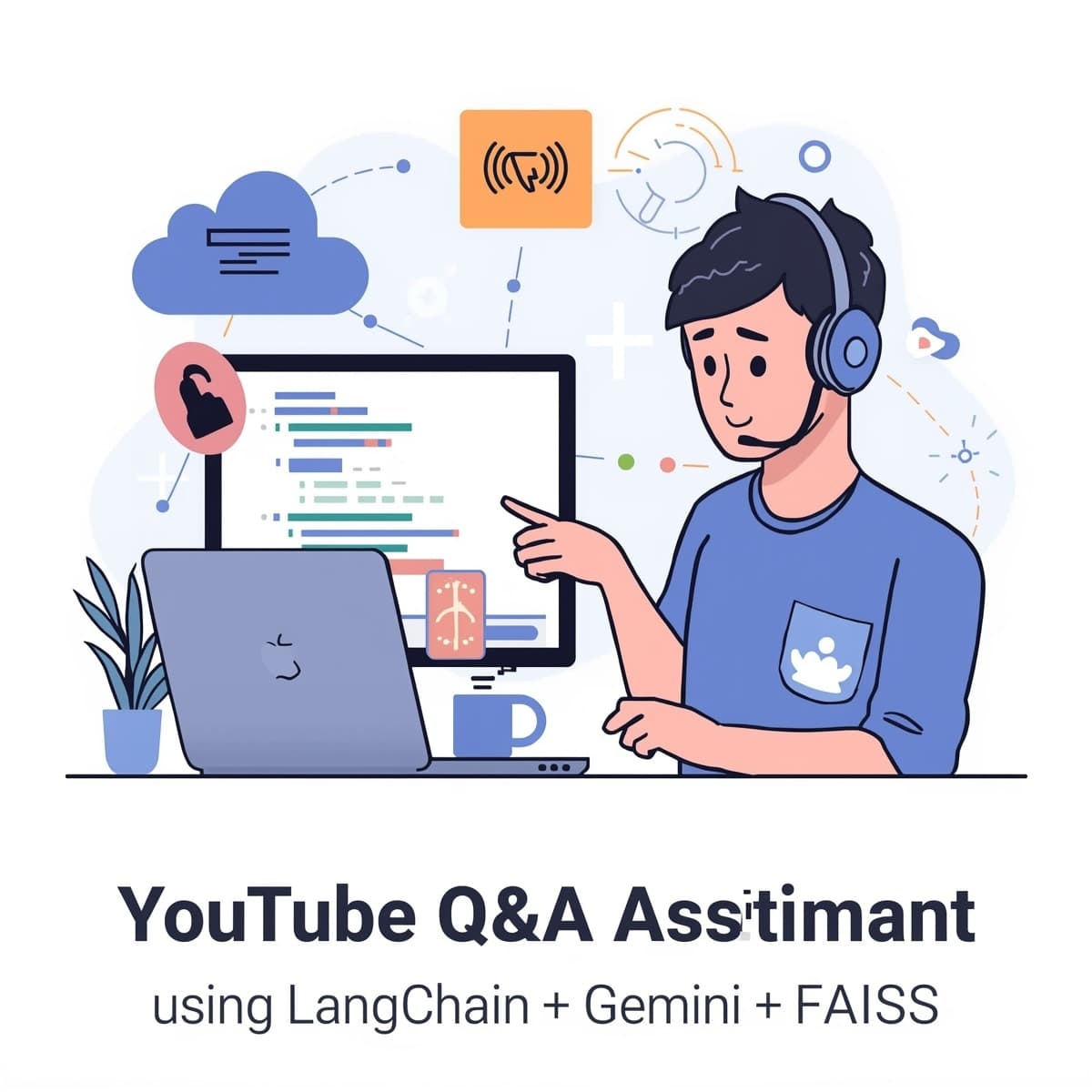
In the fast-moving world of AI, students and developers are always searching for ways to make learning more interactive. One exciting use case is building an AI assistant that can understand and answer questions from YouTube videos.
Imagine uploading a lecture or tutorial and instantly being able to ask,
“What was the main idea discussed in this video?”
In this guide, we’ll explore how to do exactly that step-by-step using LangChain, Google Gemini, and FAISS (Facebook AI Similarity Search).
What You’ll Learn
By the end of this tutorial, you’ll understand how to:
Extract transcripts from YouTube videos
Split large text into manageable chunks
Create embeddings using Gemini models
Store and retrieve information efficiently with FAISS
Ask natural-language questions about any video
This small project is a perfect hands-on exercise for AI students learning about LLMs, vector databases, and information retrieval.
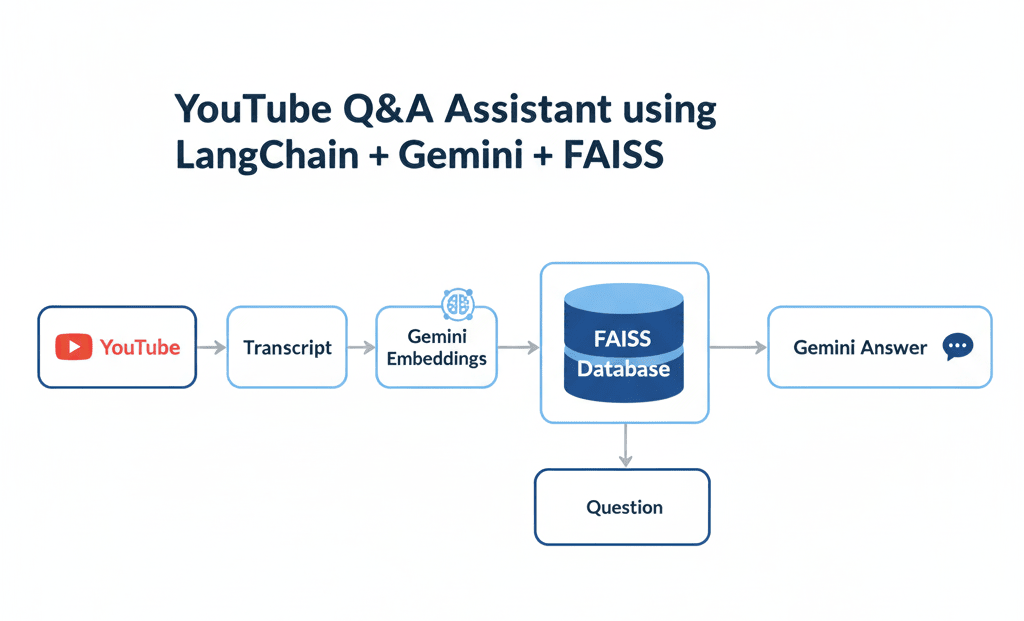
How It Works The Big Picture
Let’s break it down simply:
YouTube Transcript Extraction – We first grab the text (transcript) of a YouTube video.
Text Chunking – The transcript is split into smaller sections for better understanding.
Embedding Generation – Each section is converted into numerical vectors using Gemini embeddings.
Vector Storage (FAISS) – These vectors are stored in a FAISS index for quick similarity search.
Question Answering – When you ask a question, the system finds relevant chunks and uses Gemini to answer based on that context.
Think of it like creating a personal tutor for every video you watch.
Step-by-Step Code Explanation
Let’s go through the code you provided, one step at a time.
1. Import Libraries
from langchain.document_loaders import YoutubeLoader
from langchain.text_splitter import RecursiveCharacterTextSplitter
from langchain_google_genai import ChatGoogleGenerativeAI, GoogleGenerativeAIEmbeddings
from langchain.vectorstores import FAISS
from langchain.chains import RetrievalQA
from dotenv import load_dotenv
import os
We’re importing tools for:
YoutubeLoader – to fetch transcripts.
TextSplitter – to split text into smaller chunks.
Gemini models – for embeddings and chat responses.
FAISS – for storing and retrieving embeddings.
RetrievalQA – to combine all these steps into a Q&A chain.
2. Load Environment Variables
load_dotenv()This loads your API keys securely from a .env file instead of writing them directly in the code.
Make sure your .env file contains:
GOOGLE_API_KEY=your_google_api_key_here3. Load YouTube Transcript
url = "https://www.youtube.com/watch?v=9-Jl0dxWQs8"
loader = YoutubeLoader.from_youtube_url(url)
docs = loader.load()
The YoutubeLoader automatically fetches the transcript text from the provided YouTube link and saves it as a list of documents.
4. Split Transcript into Chunks
splitter = RecursiveCharacterTextSplitter(chunk_size=1000, chunk_overlap=200)
docs = splitter.split_documents(docs)
Large transcripts can exceed LLM input limits.
This step splits the text into overlapping chunks (so no information is lost at boundaries).
5. Create Embeddings + Vector Store
embeddings = GoogleGenerativeAIEmbeddings(
    model="models/gemini-embedding-001",
    google_api_key=os.getenv("GOOGLE_API_KEY"))
vectorstore = FAISS.from_documents(docs, embeddings)
Here:
Gemini converts each text chunk into an embedding (a vector of numbers representing meaning).
FAISS stores these vectors, making it easy to find similar ones later when answering questions.
6. Create a Retriever and LLM
retriever = vectorstore.as_retriever(search_kwargs={"k": 3})

llm = ChatGoogleGenerativeAI(
    model="gemini-2.5-flash-lite",
    api_key=os.getenv("GOOGLE_API_KEY")
)
The retriever helps fetch the top 3 most relevant chunks for any question.
The LLM (Gemini) interprets those chunks and generates a coherent answer.
7. Build the Q&A Chain
qa = RetrievalQA.from_chain_type(
    llm=llm,
    retriever=retriever
)
This chain combines the retriever and the LLM, allowing you to ask natural questions about the video’s content.
8. Ask Questions about the Video
query = "What is the main idea discussed in this video?"
response = qa.run(query)
print(response)
This line triggers the entire pipeline. The result?
An intelligent summary of the video, like this:
“The main idea discussed in this video is about how neural networks, specifically in the context of natural language processing, store and process factual knowledge.”
Sample Output
Key Insights:
Neural networks use high-dimensional spaces to represent information.
Linear + non-linear operations help them make complex decisions.
Superposition allows dense representation of multiple features.
It’s fascinating how a few lines of code can transform a long technical video into concise, understandable insights.
Real-World Use Cases
Education: Summarize lecture videos automatically.
Research: Extract key points from scientific talks.
Corporate Training: Build searchable knowledge bases from recorded sessions.
Media Analytics: Analyze YouTube or podcast content at scale.
Conclusion
This project shows how LangChain, Gemini, and FAISS work together to make video understanding possible through AI.
For AI students, this is an excellent introduction to:
Vector databases
Information retrieval
LLM-based question answering
With just a few lines of code, you can turn any video into an interactive knowledge assistant.
Join the conversation
Sign in to share your thoughts and engage with other readers.
No comments yet
Be the first to share your thoughts!