LangChain vs LangGraph: A Complete Educational Guide for AI Developers (2025)
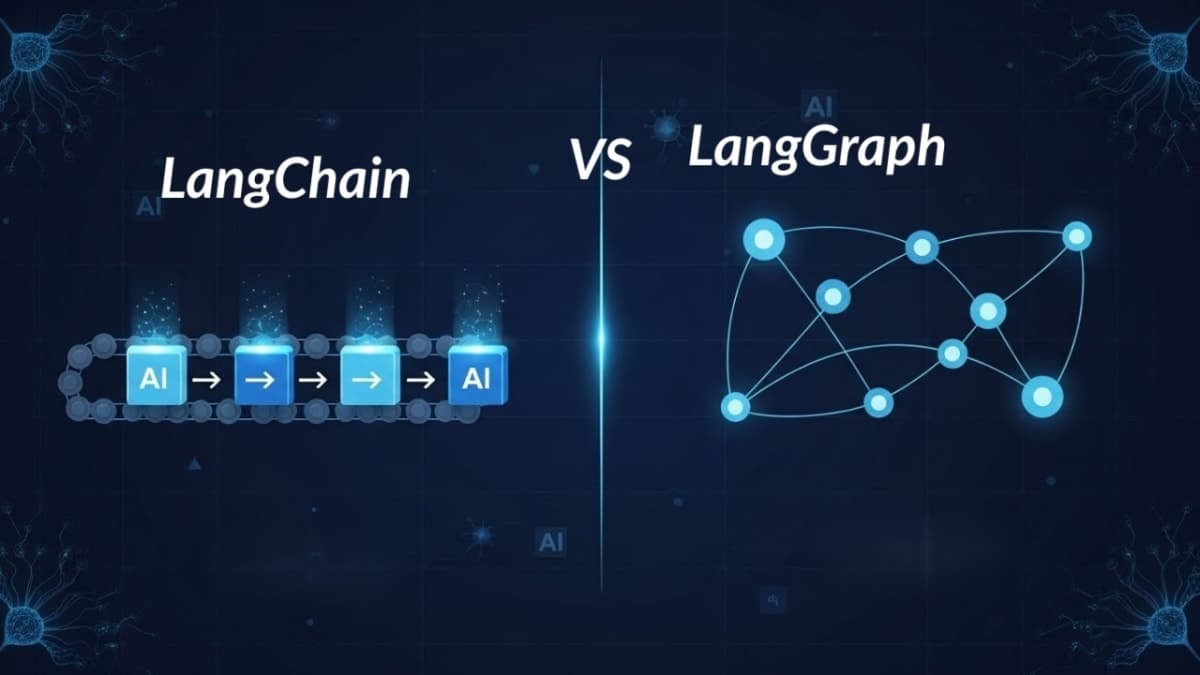
Modern AI development is rapidly evolving, and two of the most influential frameworks shaping next-generation LLM applications are LangChain and LangGraph. While both belong to the same ecosystem, they solve very different engineering problems. Understanding when to use each has become essential for AI developers, students, and teams building chatbots, RAG systems, or multi-agent autonomous pipelines.
This educational guide explains both tools in simple, clear terms without hype, hallucinations, or misinformation. All examples below use Google Gemini (gemini-2.5-flash-lite) through LangChain’s official integration.
1. Understanding the Foundations
What Is LangChain?
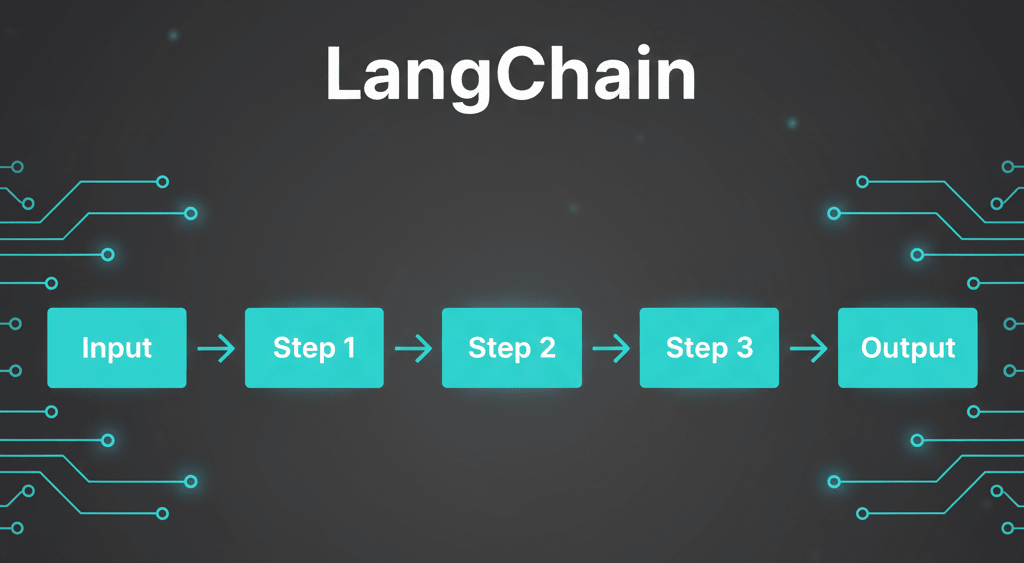
LangChain is a framework that simplifies building applications powered by Large Language Models (LLMs). It provides modular components chains, tools, memory, retrievers, and agents that can be assembled like building blocks.
Core Problem LangChain Solves
LangChain reduces complexity for developers by offering:
Pre-built workflow patterns
Easy LLM + tool integration
Ready-to-use RAG components
Memory and context handling
Standard interfaces for chains and agents
It prevents “reinventing the wheel” for common LLM tasks.
Key LangChain Components
Chains — Linear, predefined execution flows
Agents — LLM-driven decision makers that select tools
Memory — Stores conversation history or persistent state
Retrievers — Connect vector DBs to LLMs for RAG
What Is LangGraph?
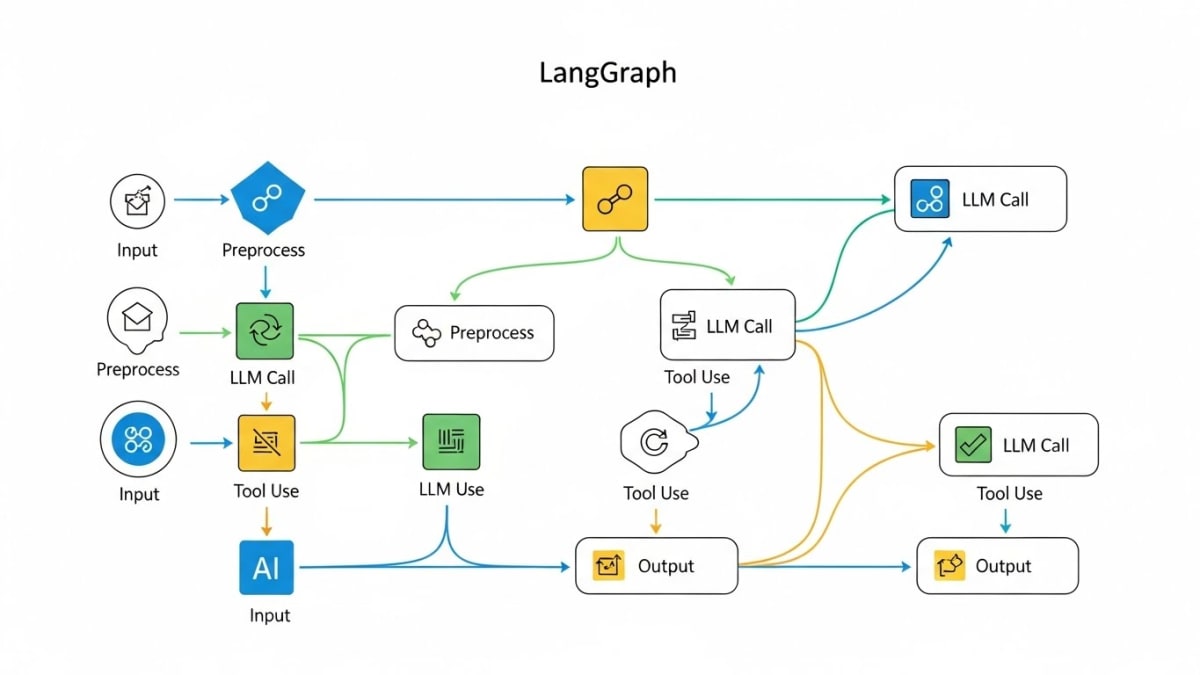
LangGraph is built on top of LangChain but designed for stateful, multi-agent, cyclic workflows. Instead of using a linear chain, it uses graphs to represent complex logic.
Core Problem LangGraph Solves
LangGraph enables agentic autonomy, including:
Loops
Cycles
Condition-based routing
Multi-agent collaboration
Shared global state
Checkpointing + recovery
Time-travel debugging
LangGraph is what you use when your system needs iterative reasoning or multi-step improvement cycles.
2. Architectural Differences
LangChain Architecture → Linear Flow
LangChain executes workflows in a straight line:
Input → Step 1 → Step 2 → Step 3 → OutputCharacteristics
Linear, sequential execution
No native loop support
RouterChain allows simple branching
State passed through function arguments
Ideal for simple or short-lived applications
Technical Limitation
LangChain cannot easily revisit previous steps without manually re-running the chain.
LangGraph Architecture → Stateful, Cyclic Flow
LangGraph uses a graph structure with dynamic control flow.
Example Flow (Simplified)
        ┌─────────────┐
        │    Input    │
        └──────┬──────┘
               │
        ┌──────▼──────┐
    ┌───┤   Node A    │
    │   └──────┬──────┘
    │          │
    │   ┌──────▼──────┐
    │   │   Node B    ├──► Loop or Branch
    │   └──────┬──────┘
    │          │
    └──────────┘
               │
        ┌──────▼──────┐
        │   Output    │
        └─────────────┘
Characteristics
Supports loops, cycles, recursion
Nodes share the same global state
Conditional routing and branching
Ideal for multi-agent workflows
Built-in checkpointing + recovery
Replayability and auditability
LangGraph is what powers production-grade AI agents.
3. When to Use LangChain vs LangGraph
Use LangChain When the Workflow Is Simple
Best Scenarios
RAG pipelines (document retrieval + LLM answer)
Summarization
Simple chatbots
Prototyping or classroom use
Why LangChain Works
Easier to set up
Faster to build
Lower complexity
More beginner-friendly
Use LangGraph When the Workflow Is Complex or Agentic
Best Scenarios
Multi-agent research tools
Customer support systems with routing
Autonomous code generation + testing loops
Safety-critical, long-running processes
Why LangGraph Works
Cycles and loops
Shared global state
Robust debugging
Deterministic execution
Recoverability
4. Deep Dive: State Management Differences
LangChain State Management
LangChain uses:
Memory objects
Function arguments
Return passing
There is no centralized state store.
Gemini Version of Your LangChain Code Example
from langchain_google_genai import ChatGoogleGenerativeAI
from langchain.memory import ConversationBufferMemory
from langchain.chains import ConversationChain
import os
from dotenv import load_dotenv

load_dotenv()

# Initialize Gemini LLM
llm = ChatGoogleGenerativeAI(
    model="gemini-2.5-flash-lite",
    api_key=os.getenv("GOOGLE_API_KEY"),
    temperature=0.2
)

# Memory to store conversation history
memory = ConversationBufferMemory()

# Conversation chain
chain = ConversationChain(
    llm=llm,
    memory=memory,
    verbose=True
)

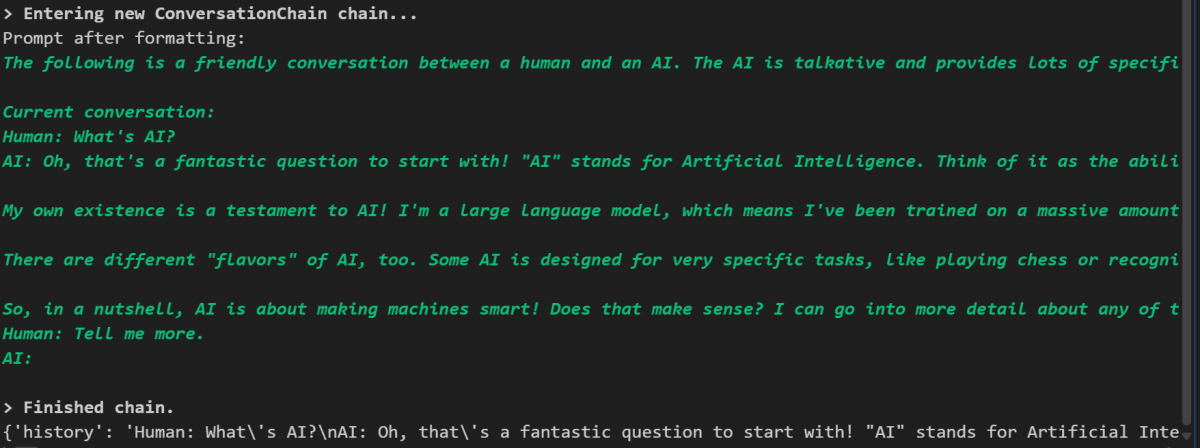
response1 = chain.run("What's AI?")
response2 = chain.run("Tell me more.")

print(memory.load_memory_variables({}))Output:
Limitations
Cannot share state across chains
No checkpointing
No replay or rollback
Poor suitability for multi-agent loops
LangGraph State Management
LangGraph provides:
Global shared state
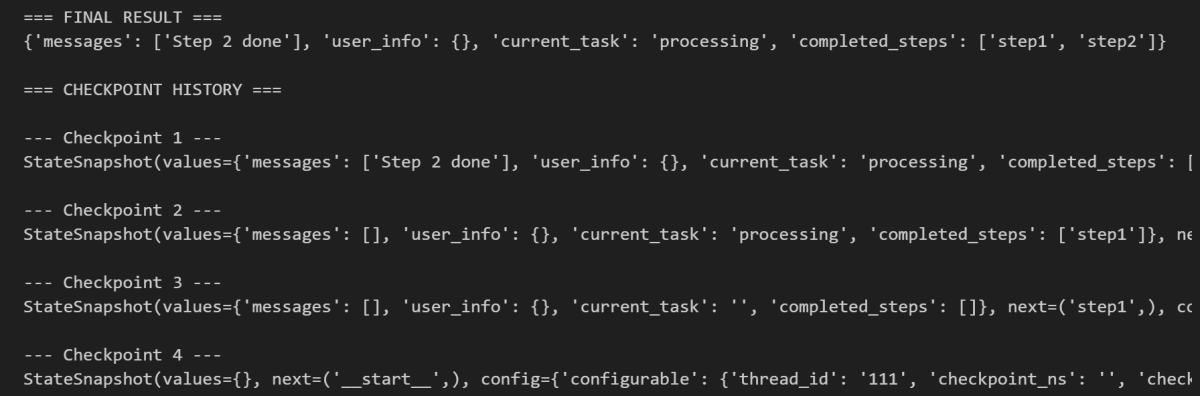
Automatic checkpointing
Structured TypedDict state schemas
Gemini-Compatible LangGraph Example
from langgraph.graph import StateGraph
from langgraph.checkpoint.sqlite import SqliteSaver
from typing import TypedDict, List

class AgentState(TypedDict):
    messages: List[str]
    user_info: dict
    current_task: str
    completed_steps: List[str]

# Node 1
def step1(state: AgentState):
    return {
        "completed_steps": state["completed_steps"] + ["step1"],
        "current_task": "processing"
    }

# Node 2
def step2(state: AgentState):
    return {
        "completed_steps": state["completed_steps"] + ["step2"],
        "messages": state["messages"] + ["Step 2 done"]
    }

# Enable checkpointing
memory = SqliteSaver.from_conn_string(":memory:")

workflow = StateGraph(AgentState)
workflow.add_node("step1", step1)
workflow.add_node("step2", step2)
workflow.set_entry_point("step1")
workflow.add_edge("step1", "step2")

app = workflow.compile(checkpointer=memory)

config = {"configurable": {"thread_id": "123"}}

initial_state = {
    "messages": [],
    "user_info": {},
    "current_task": "",
    "completed_steps": []
}

result = app.invoke(initial_state, config)
history = app.get_state_history(config)Output:
Advantages of LangGraph
Centralized global state
Full replay + time-travel
Reliable multi-agent loops
Fault-tolerant execution
5. Performance Considerations
LangChain Performance
Lightweight
Minimal overhead
Best for short tasks
Fast initialization
LangGraph Performance
Slight overhead due to checkpointing
Highly stable for long workflows
Better for iterative cycles
Suitable for distributed workers
6. Developer’s Rule of Thumb
Use LangChain if your workflow is a straight line
A → B → C → DUse LangGraph if your workflow has decisions or loops
A ↔ B → C → loop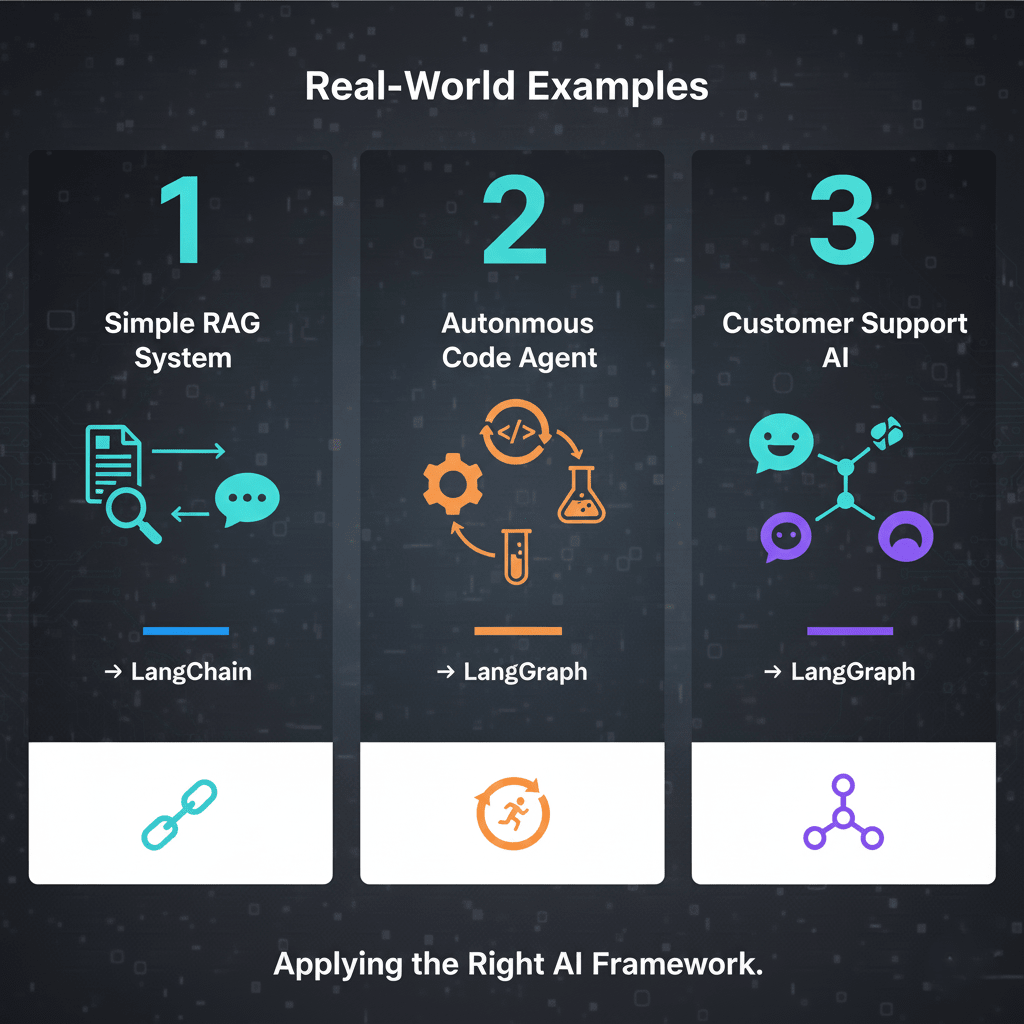
7. Real-World Examples
Example 1 Simple RAG Answering System
Choose LangChain
No looping or complex logic required.
Example 2 Autonomous Code Agent
Choose LangGraph
Must repeatedly test, analyze, fix, and retry.
Example 3 Customer Support AI
Choose LangGraph
Because of:
escalation logic
multiple tools
branching conversations
feedback loops
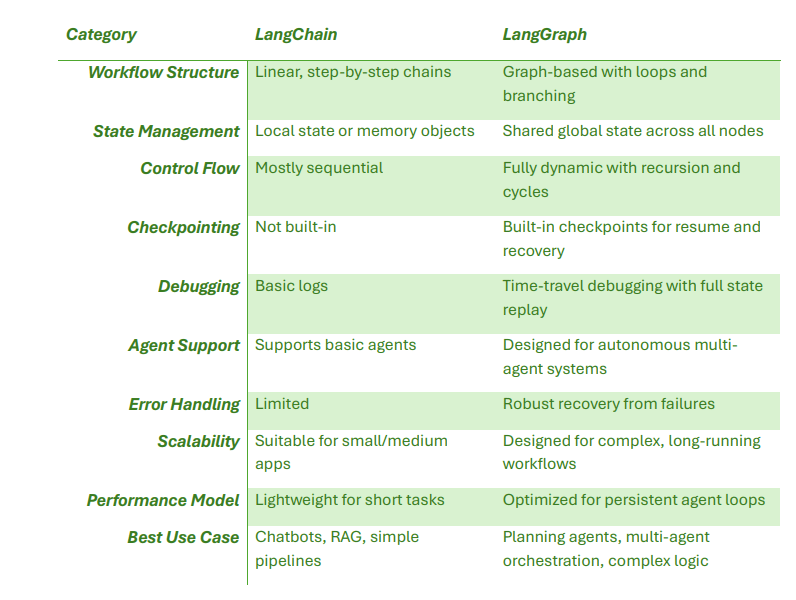
8. Summary Table
9. Final Thoughts
LangChain and LangGraph are not competitors they complement each other.
LangChain is the best choice for everyday LLM tasks, prototypes, and simple pipelines.
LangGraph is essential for complex, autonomous, multi-agent workflows that require reasoning, iteration, and reliability.
Learning both gives you the ability to build anything from a classroom chatbot to a fully autonomous research agent.
Join the conversation
Sign in to share your thoughts and engage with other readers.
No comments yet
Be the first to share your thoughts!